Online CAD in a browser tab
Open, edit, dimension and print DWG and DXF drawings to scale. Nothing to install, on any computer, with your drawings in a cloud in Germany.
DWG R13–2018DXFno installEU servers
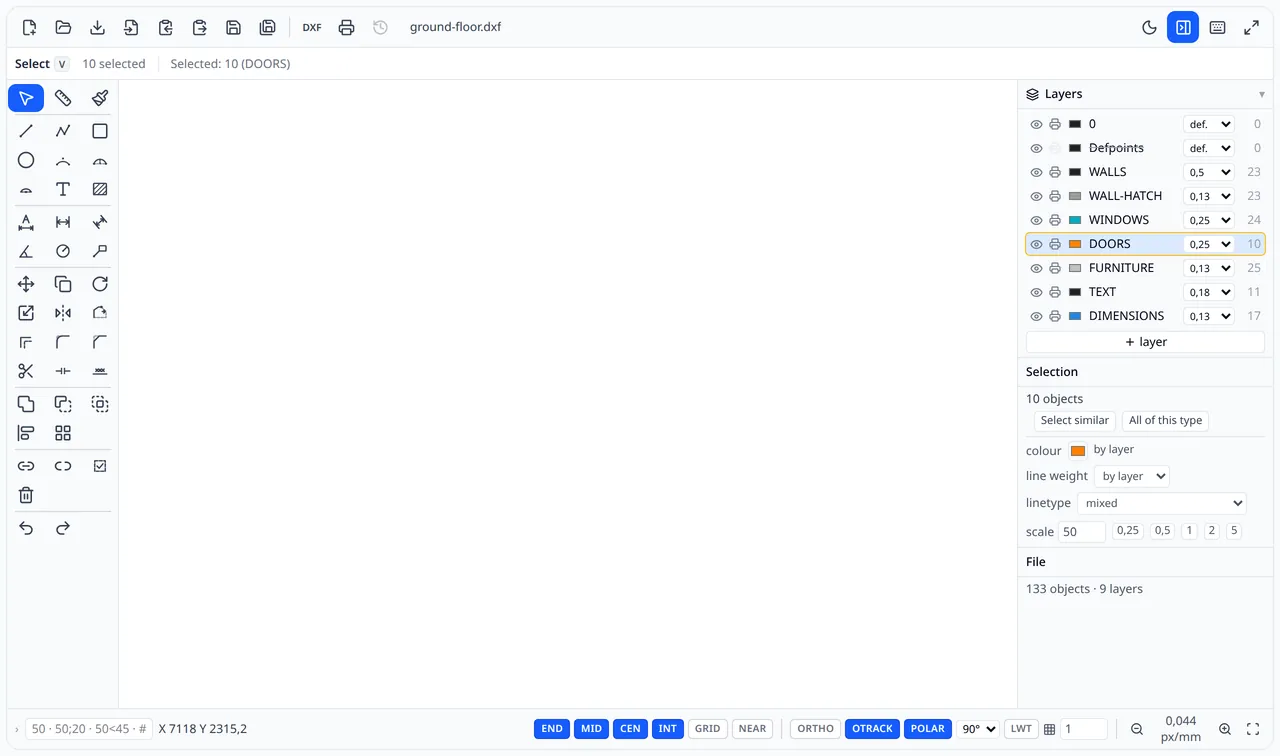
From the file in your inbox to a print in minutes
Open the file
Load a DWG or DXF drawing from your computer or start a new one. There's nothing to install, a browser is all you need.
Draw and dimension
Fix the drawing, add dimensions, hatches and notes. Object snaps and distances typed on the keyboard work the way you know from desktop CAD.
Print or pass it on
Print to scale on A4 up to A0, save a PDF or export a DXF for the architect or the workshop.
Everything a 2D drawing needs
CadTab is made for small firms, workshops and contractors who receive DWG drawings and need to fix, dimension and print them, without an expensive CAD licence on every computer.
DWG and DXF
Open DWG and DXF files, save drawings to your account and export them as DXF, which every CAD program can read.
DWG R13–2018 · DXFPrecise drafting
Lines, polylines, arcs, circles and text. Snap to endpoints, midpoints and intersections, ortho and polar tracking, distances typed on the keyboard.
END · MID · CEN · INT · ORTHO · POLARDimensions and hatches
Linear, aligned, angular and radial dimensions, automatic dimensioning, pattern hatches and insulation.
Print to scale
PDF to scale on A4 up to A0, with line weights and a title block. Ready to email or to send to the printer.
A4 · A3 · A2 · A1 · A0Cloud in the EU
Drawings live in your account on servers in Germany. Open them from any computer; the Pro plan adds folders and version history.
Teamwork
With the Team plan, up to 5 people work on the same drawings in a shared cloud.
Just need to look at a file?
You don't have to sign up first. The free DWG viewer shows the drawing in seconds, on your phone too.
- Layers, zoom and pan
- Distance measuring with object snaps
- Print to scale and save as PDF
- Your file is deleted right after viewing

Start for free
Free
- The full editor
- Open DWG and DXF files
- Up to 3 drawings in your account
- 3 DXF exports a month
- PDF prints with a small CadTab footer
Pro
- Unlimited drawings and exports
- PDF without footer, printing to scale
- Folders and version history
- 5 GB of storage
- 1 person
Team
- Everything in Pro
- Up to 5 people working on the same drawings
- 10 GB of shared storage
Prices include VAT. CadTab is currently in a free, invite-only beta. Compare plans →
Frequently asked questions
Is CadTab free?
The DWG and DXF viewer is free and needs no account. The editor is currently in a free, invite-only beta. The pricing also has a free plan with the full editor and 3 drawings in your account; for unlimited work there's Pro (€9 a month) or Team (€29 a month for 5 people). Details: pricing.
Which files can I open?
DWG files from release R13 (1994) up to the 2018 format, which current CAD programs still save in, and DXF files. You save drawings to your account and export them as DXF.
What happens to my file?
In the free viewer, your file is deleted right after it's shown and we don't keep a copy. In the editor, you save drawings to your own account and only you have access to them (plus your team on the Team plan). You can download or delete them at any time. More in the privacy policy.
Where are the servers?
In Germany, in the European Union. CadTab is run and sold by Qstal sp. z o.o., a company based in Poland. This website uses cookies for statistics and ad measurement only if you agree.
Do I need to install anything?
No. The editor runs in an up-to-date browser such as Chrome, Edge, Firefox or Safari on a Windows, macOS, Linux or ChromeOS computer. The DWG viewer also works on phones and tablets.
How do I get a beta invitation?
Join the waitlist below. We send invitations in batches, in the order people signed up, to the email address you give.